For iPhone · Ages 10 to 14
Your kid learns to budget their own screen time.
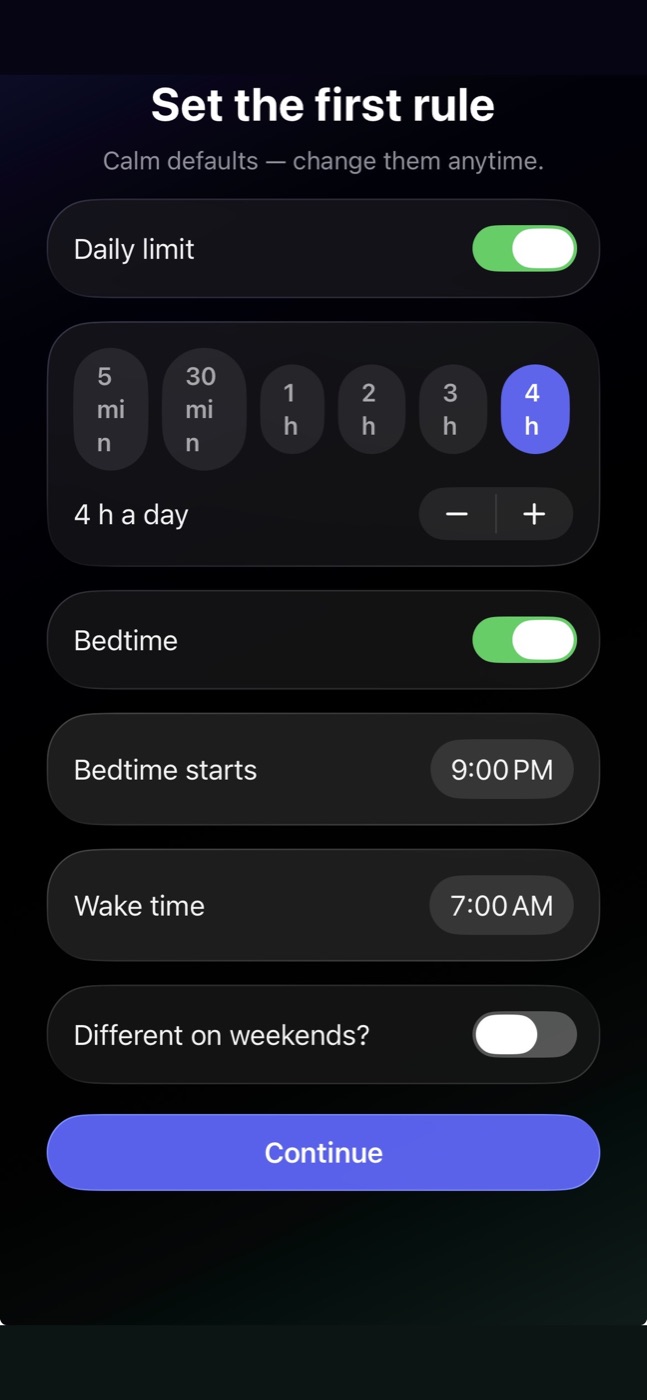
You set a daily amount and a bedtime, once. Your kid decides when to spend it. So when they want more at 9 PM, they're up against their own choices from this afternoon, not against you.
Nothing to pay at setup. It runs free until it has done its job.
The fight moves off you.
The evening ask still happens. What changes is who it lands on. Your kid's day is already on their phone: how much is left, and when it starts over. If they spent the last of it after dinner, that's the answer, and it isn't coming from you.
They can still ask you for more. Asking is one button, once a night, with no box to type a case into. But now they're asking against a choice they made earlier, not pushing on a tired parent.
Rulely
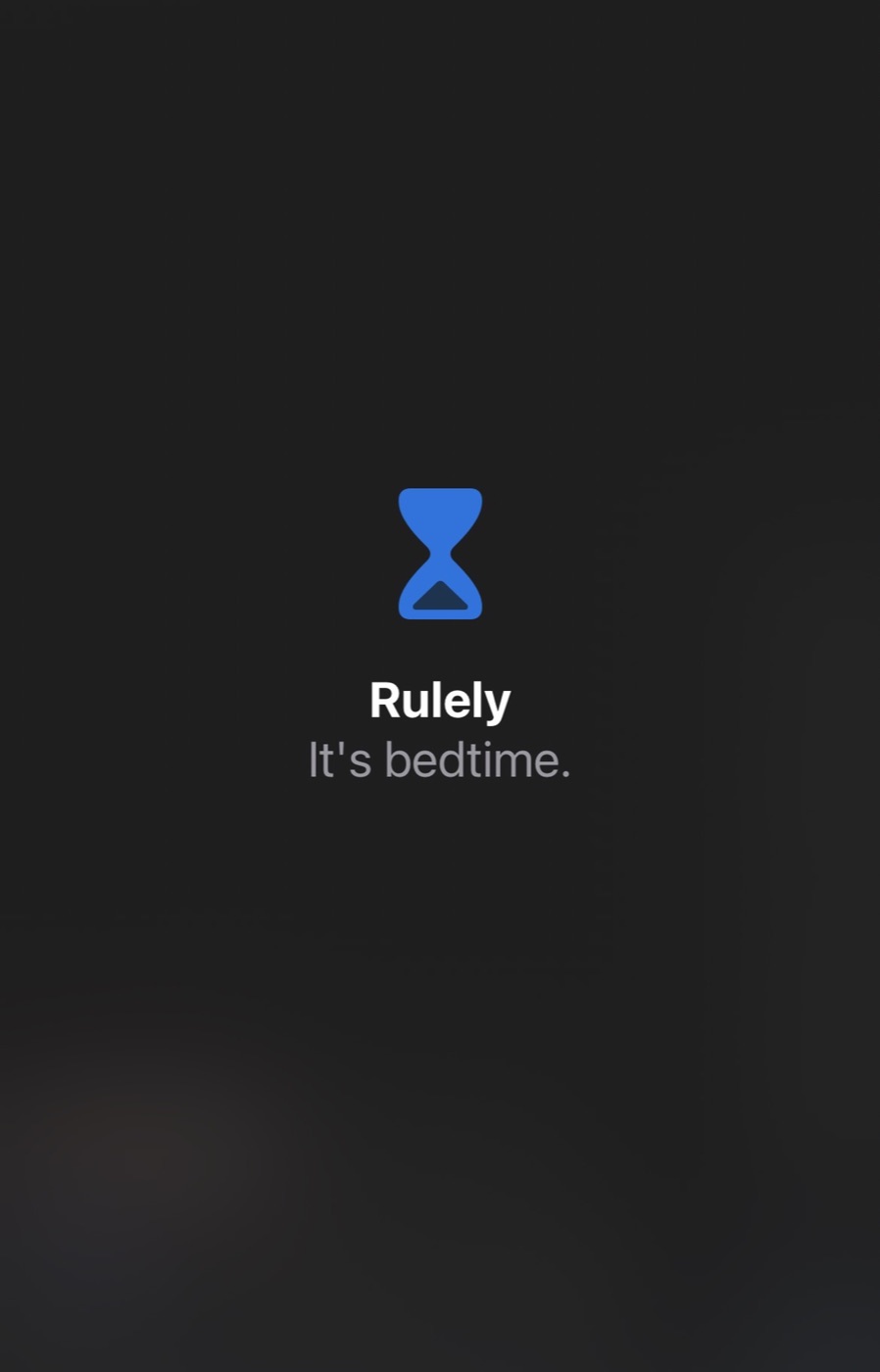
That's today's blocks. The day starts over at 7 AM. To ask for more time, open Rulely.
They run the day. You don't have to.
Each morning, the day's time is on your kid's phone, split into 30-minute blocks. A two-hour limit is four of them. Your kid sees how many are left and starts each one when they choose: after school, before dinner, saved for tonight.
A block that's started runs to the end. When the last one is gone, it's gone until the day starts over, and what's unused doesn't carry to tomorrow. So if tonight matters, they learn to save one for tonight.
None of this is a reward they earn or a permission they wait for. The amount is yours. The plan is theirs.
Rulely
Ready when you are
Start a block to open your apps.
3 blocks left today
Hold to start 30 min
Start 30 min · 2 blocks left after this
Today: 4 blocks of 30 minutes
Bedtime: 9:00 PM–7:00 AM
The rules hold without you holding them.
Your part is two settings: a daily amount and a bedtime. Rulely holds both on the phone itself. Bedtime starts on its own. The day's time ends on its own. Neither needs you in the room, or awake.
If the phone goes offline for a day or its clock gets rolled back, the managed apps stay closed instead of quietly opening. Change the amount whenever you like. The rule stays the rule until you do.
Yes becomes a decision, not a reflex.
When your kid asks, you get a notification. Giving extra time takes a short hold on your phone, then a one-minute pause while their phone stays locked, then one more tap. Keeping the limit costs nothing. Walk away and the limit simply stays. You can also move the answer to tomorrow morning.
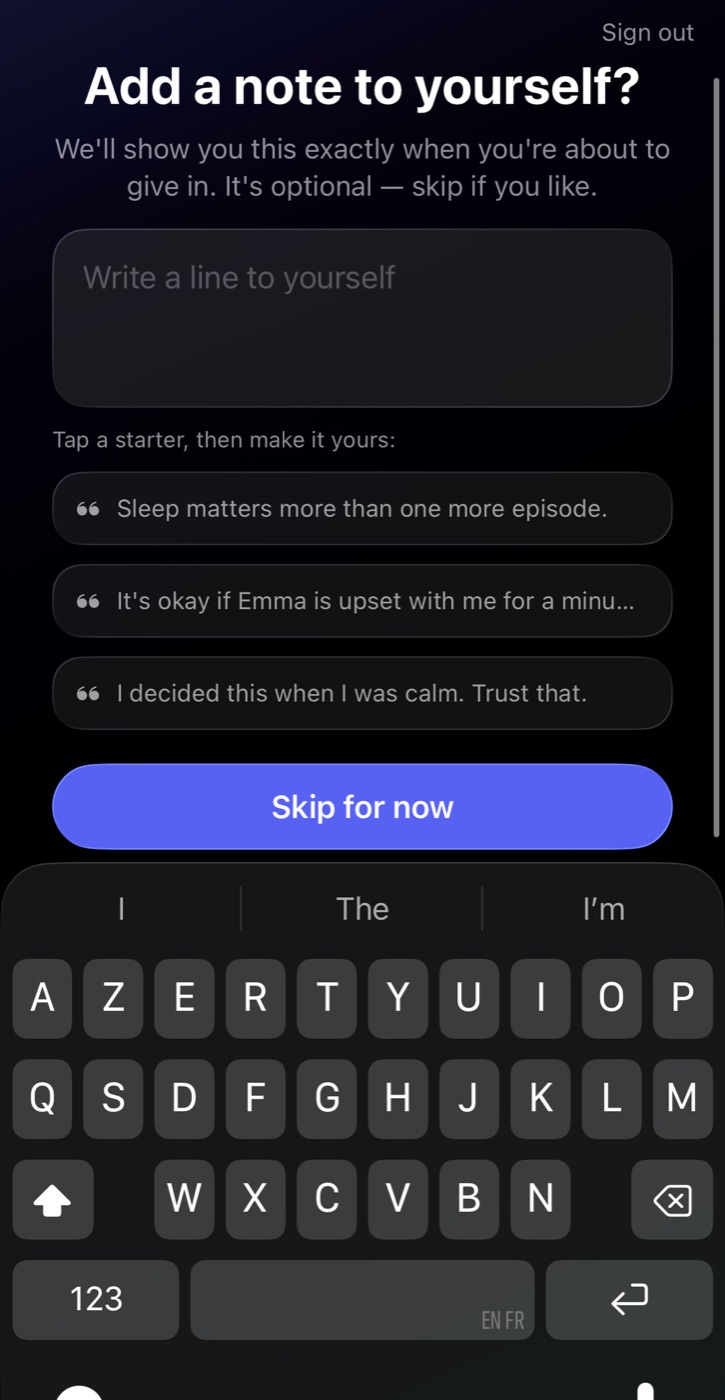
If you wrote yourself a note on a calm day, it shows up right then, in your own words. Extra time is fine. It just becomes something you decided, not something you tapped.
Afterward, Rulely keeps a plain weekly record: how many asks, how many got extra time, how many stayed within the limit. No scores, no streaks, nothing to feel behind on.
Emma is asking for more time
Extra time lifts the limit for a while; keeping the limit costs nothing. Either is fine.
Your note to yourself
I decided this when I was calm. Trust that.
Hold to give extra time
Keep the limit
Tomorrow morning
It manages access. It doesn't watch.
Rulely decides which apps can open and when. It can't read messages, photos, browsing, or keystrokes. Your kid's usage minutes are counted on their own phone and never leave it. No ads, no data sales, and nothing about your child is collected before you've given verified consent.
Free until it has done its job. Then one price for the whole family.
- 1
Setup asks for nothing. No card, no countdown, no price.
- 2
Rulely runs free until it has visibly done its job in your house: the limit held on its own for a couple of nights, or a request from your kid was handled without you stepping in. Up to seven days.
- 3
Then it asks, once, and tells you what actually happened on your kid’s phone.
- 4
If you say not now, Rulely keeps working for a few more days and tells you exactly when it will stop.
- 5
When it stops, your rules stop being enforced. You're told before and after. It never goes quiet.
- 6
Subscribe later and everything picks up where it left off. Nothing to set up twice.
Rulely, for your whole family
Yearly · $79.99
$6.67 a month, billed once a year
Monthly · $9.99
Billed every month
Prices in the US. One price for your whole family, however many children. Subscribe inside the app, on your iPhone, only after the free period.
Common questions
How is this different from Apple Screen Time or Google Family Link?
Both give your kid one countdown they don't control, and both give you a one-tap approve when it runs out. Rulely gives your kid the same total time as a handful of 30-minute blocks they start themselves, whenever they choose, so they're planning a day instead of watching a timer. And when you do say yes to more, it isn't one tap. It's a short hold, then a one-minute pause, with the limit staying in place the whole time and Keep the limit always available. Same amount of time. Different lesson.
Doesn't giving my kid control defeat the point?
No. You still set the total minutes and the bedtime, and that part never leaves your hands. What your kid controls is timing within that total: when to spend it, not how much there is. That's the part that teaches them anything. A fixed amount they have to plan around is time management. A number an adult enforces from outside isn't.
What does it cost?
$9.99 a month or $79.99 a year in the US, which works out to $6.67 a month. One price covers your whole family, however many children. Setup asks for nothing: no card, no price, no countdown. Rulely runs free until it has visibly done its job in your house, for up to seven days, and only then asks once. App Store prices vary by region.
What happens if I stop paying?
Rulely stops enforcing your rules, and it tells you before and after, never silently. Your rules, your kid's phone pairing, and everything you set up stay saved. Subscribe again and enforcement resumes with nothing to set up twice.
Can my kid just delete the app?
Set it up the way Rulely walks you through, with your child's Apple ID in Family Sharing and a Screen Time passcode only you know. After that, deleting the app or switching off its permissions isn't something your kid can quietly do. That passcode also protects the device clock. If Screen Time access for Rulely ever does get switched off, the rules stop running and Rulely tells you so, plainly, in your app, with reminders until it's fixed. And if the phone can't reach Rulely for over a day, or the clock gets rolled back, the managed apps stay closed rather than quietly opening.
What does Rulely show me afterward?
A plain weekly record, not a report card. It counts what happened with your kid's requests: how many times they asked for more time, how many got extra time, how many stayed within the limit, and how many went unanswered. Extra time is a normal outcome, logged like the rest. No streaks, no scores, nothing that grades you. Just what happened, so you can adjust the plan while you're rested.
Do you track what my kid does on their phone?
No. Rulely manages which apps can open and when, not what's inside them. It can't see messages, photos, browsing, or keystrokes, and your kid's usage minutes are tallied on their own phone and never sent to us. Nothing about your child is collected before you've given verified consent, and you can export or delete it all whenever you want.
Which phones does it work on?
iPhone. Rulely runs on Apple's own Screen Time controls, so your kid's iPhone needs a child Apple ID in your Family Sharing group for the rules to be tamper-proof. Your own phone runs the parent side of the same app.
Set the amount once. Hand the day to your kid tonight.
Rulely is on the App Store for iPhone. Setup takes a few minutes and asks for nothing.